数码之家

 找回密码
 立即注册

QQ登录

只需一步,快速开始

微信登录

微信扫一扫,快速登录

搜索
查看: 268|回复: 9

[综合] 智能电表对接homeassistant

[复制链接]
发表于 2026-1-19 11:24:29 | 显示全部楼层 |阅读模式
  1. https://github.com/chinawrj/esphome-component-dlt645
复制代码
致顶感谢项目老大chinawrj。


之前看到智能电能表改高精度功率计(附教程及软件) - 创意DIY 数码之家,于是一时冲动买了两块旧电表,改完后就吃灰。最近开始接触homeassistant,发现有用电量统计的功能,感觉几好,但发现需要有智能电表。网上搜了下,有基于DDSU666的电表方案,但又得另外买,精度也不知道怎样。于是想起了之前买的电表。
本人小白,研究这个项目怎样使用都已经研究几天了,真的不敢想像项目作者做这些项目所花的时间。
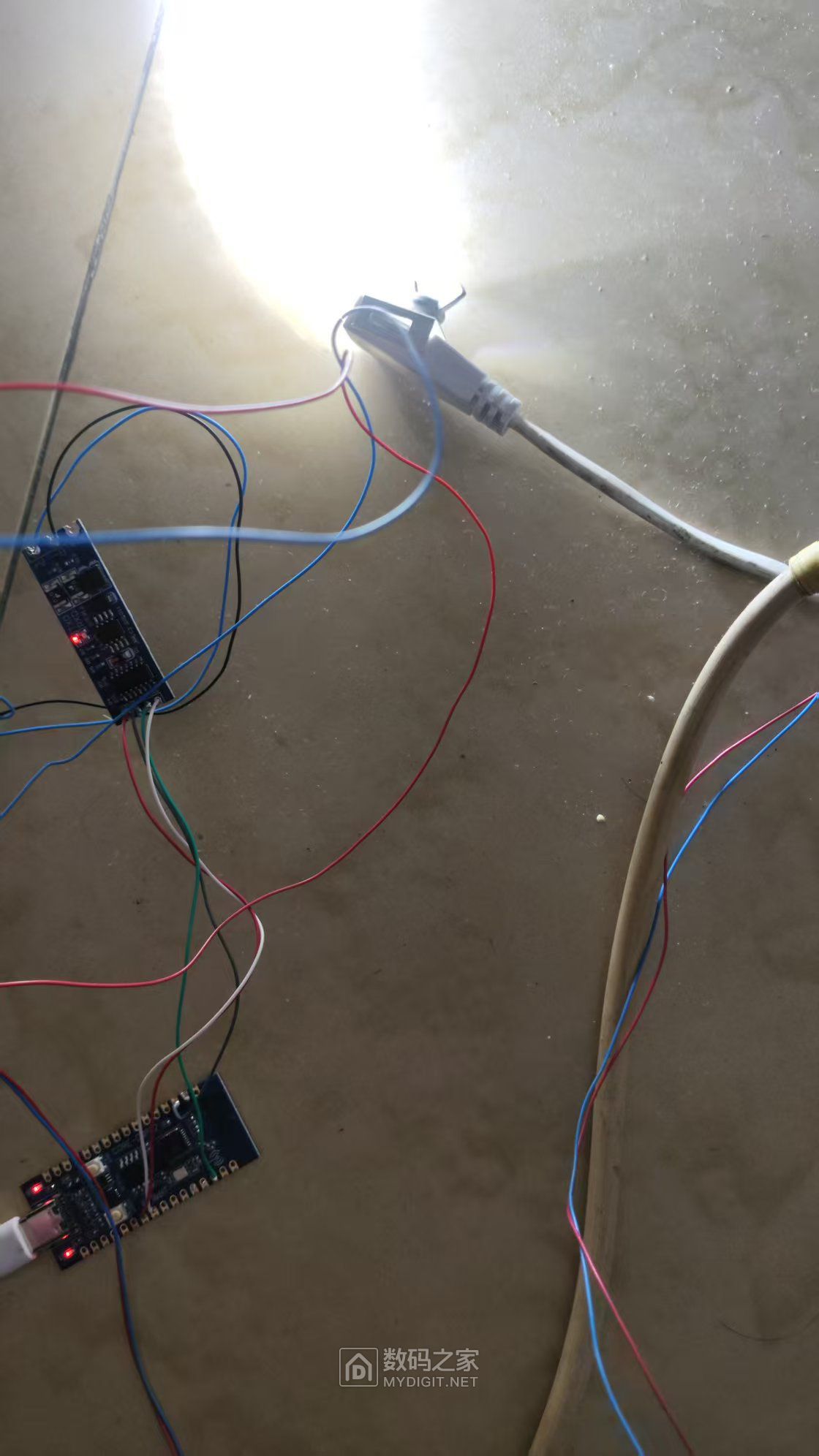
硬件连接:电表的485接口-485转TTL模块-ESP32。
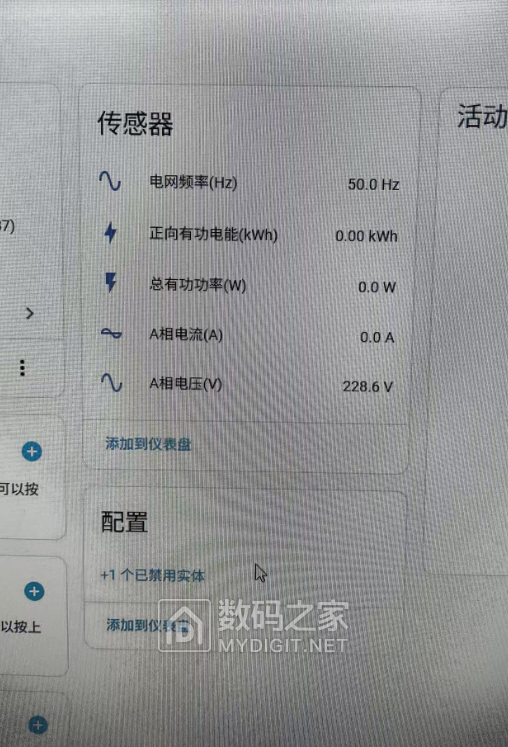
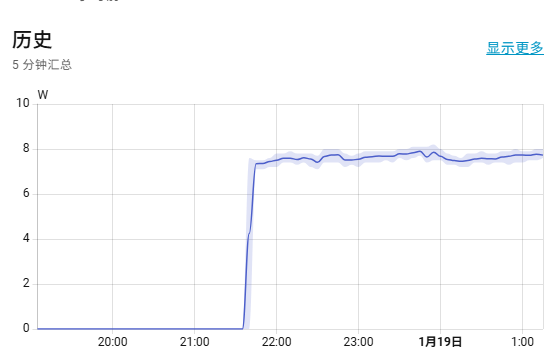
项目介绍能读到电表地址和控制内置继电器,但不会用。能力有限,只读到电量,功率,电压,电流,频率。在这抛砖引玉,希望有大佬完善功能。
  1. esphome:
  2.   name: new-meter
  3.   friendly_name: new-meter

  4. esp32:
  5.   board: esp32-c3-devkitc-02
  6.   framework:
  7.     type: esp-idf

  8. logger:
  9.   level: INFO
  10.   baud_rate: 0

  11. api:
  12.   encryption:
  13.     key: "ec4zEPIq6SoCwzKW6TahipBTaSGgt+hh2PEJEKAIJ2d="

  14. ota:
  15.   - platform: esphome
  16.     password: "be06f61d367f041cd14d9f3154d281cf"

  17. wifi:
  18.   ssid: !secret wifi_ssid
  19.   password: !secret wifi_password
  20.   ap:
  21.     ssid: "Smart-Meter Fallback Hotspot"
  22.     password: "iKVlDlLGPfzI"

  23. captive_portal:

  24. external_components:
  25.   - source:
  26.       type: local
  27.       path: components
  28.     components: [dlt645]

  29. uart:
  30.   tx_pin: GPIO20
  31.   rx_pin: GPIO21
  32.   baud_rate: 2400
  33.   data_bits: 8
  34.   parity: EVEN
  35.   stop_bits: 1

  36. globals:
  37.   - id: last_active_power
  38.     type: float
  39.     restore_value: no
  40.     initial_value: '0.0'
  41.   - id: last_voltage_a
  42.     type: float
  43.     restore_value: no
  44.     initial_value: '0.0'
  45.   - id: last_positive_active_energy
  46.     type: float
  47.     restore_value: no
  48.     initial_value: '0.0'
  49.   - id: last_current_a
  50.     type: float
  51.     restore_value: no
  52.     initial_value: '0.0'
  53.   - id: last_frequency
  54.     type: float
  55.     restore_value: no
  56.     initial_value: '0.0'

  57. dlt645:
  58.   id: dlt645_meter
  59.   power_ratio: 10
  60.   on_active_power:
  61.     then:
  62.       - globals.set:
  63.           id: last_active_power
  64.           value: !lambda 'return power_watts;'
  65.   on_voltage_a:
  66.     then:
  67.       - globals.set:
  68.           id: last_voltage_a
  69.           value: !lambda 'return voltage_v;'
  70.   on_energy_active:
  71.     then:
  72.       - globals.set:
  73.           id: last_positive_active_energy
  74.           value: !lambda 'return energy_kwh;'
  75.   on_current_a:
  76.     then:
  77.       - globals.set:
  78.           id: last_current_a
  79.           value: !lambda 'return current_a;'
  80.   on_frequency:
  81.     then:
  82.       - globals.set:
  83.           id: last_frequency
  84.           value: !lambda 'return frequency_hz;'


  85. sensor:

  86.   - platform: template
  87.     id: voltage_phase_a
  88.     name: "A相电压(V)"
  89.     unit_of_measurement: V
  90.     accuracy_decimals: 1
  91.     device_class: voltage
  92.     state_class: measurement
  93.     lambda: 'return id(last_voltage_a);'
  94.     update_interval: 1s

  95.    - platform: template
  96.     id: total_active_power
  97.     name: "总有功功率(W)"
  98.     unit_of_measurement: W
  99.     accuracy_decimals: 1
  100.     device_class: power
  101.     state_class: measurement
  102.     lambda: 'return id(last_active_power);'
  103.     update_interval: 1s

  104.     - platform: template
  105.     id: positive_active_energy
  106.     name: "正向有功电能(kWh)"
  107.     unit_of_measurement: kWh
  108.     accuracy_decimals: 2
  109.     device_class: energy
  110.     state_class: total_increasing
  111.     lambda: 'return id(last_positive_active_energy);'
  112.     update_interval: 1s

  113.     - platform: template
  114.     id: current_phase_a
  115.     name: "A相电流(A)"
  116.     unit_of_measurement: A
  117.     accuracy_decimals: 1
  118.     device_class: current
  119.     state_class: measurement
  120.     lambda: 'return id(last_current_a);'
  121.     update_interval: 1s

  122.    - platform: template
  123.     id: grid_frequency
  124.     name: "电网频率(Hz)"
  125.     unit_of_measurement: Hz
  126.     accuracy_decimals: 1
  127.     device_class: frequency
  128.     state_class: measurement
  129.     lambda: 'return id(last_frequency);'
  130.     update_interval: 1s
复制代码

本帖子中包含更多资源

您需要 登录 才可以下载或查看,没有账号?立即注册 微信登录

x
发表于 2026-1-19 17:18:01 | 显示全部楼层
游客请登录后查看回复内容
回复 支持 反对

使用道具 举报

发表于 2026-1-19 19:42:21 | 显示全部楼层
游客请登录后查看回复内容
回复 支持 反对

使用道具 举报

发表于 2026-1-19 22:11:38 | 显示全部楼层
游客请登录后查看回复内容
回复 支持 反对

使用道具 举报

 楼主| 发表于 2026-1-20 09:10:29 | 显示全部楼层
游客请登录后查看回复内容
回复 支持 反对

使用道具 举报

 楼主| 发表于 2026-1-20 09:10:48 | 显示全部楼层
游客请登录后查看回复内容
回复 支持 反对

使用道具 举报

发表于 2026-1-20 18:39:50 | 显示全部楼层
游客请登录后查看回复内容
回复 支持 反对

使用道具 举报

 楼主| 发表于 2026-1-20 22:49:57 | 显示全部楼层
游客请登录后查看回复内容
回复 支持 反对

使用道具 举报

发表于 2026-1-21 18:45:37 | 显示全部楼层
游客请登录后查看回复内容
回复 支持 反对

使用道具 举报

发表于 2026-1-21 19:59:05 | 显示全部楼层
游客请登录后查看回复内容
回复 支持 反对

使用道具 举报

您需要登录后才可以回帖 登录 | 立即注册 微信登录

本版积分规则

APP|手机版|小黑屋|关于我们|联系我们|法律条款|技术知识分享平台

闽公网安备35020502000485号

闽ICP备2021002735号-2

GMT+8, 2026-2-7 19:47 , Processed in 0.171600 second(s), 12 queries , Gzip On, Redis On.

Powered by Discuz!

© 2006-2026 MyDigit.Net

快速回复 返回顶部 返回列表